Teams Management @ Observe.ai
Duration: 1.5 months
Role: Lead Product Designer
Team: Product Designer, Product Manager
Status: Successful adoption by early onboarding clients ✅
Result
Features were made live on 5 'pilot release' client accounts.
These clients were able to migrate to the new system, without needing any feature documentation - which was a great indicator of good, self-sufficient design.
Features were made live on 5 'pilot release' client accounts.
These clients were able to migrate to the new system, without needing any feature documentation - which was a great indicator of good, self-sufficient design.
Teams in Contact Centers
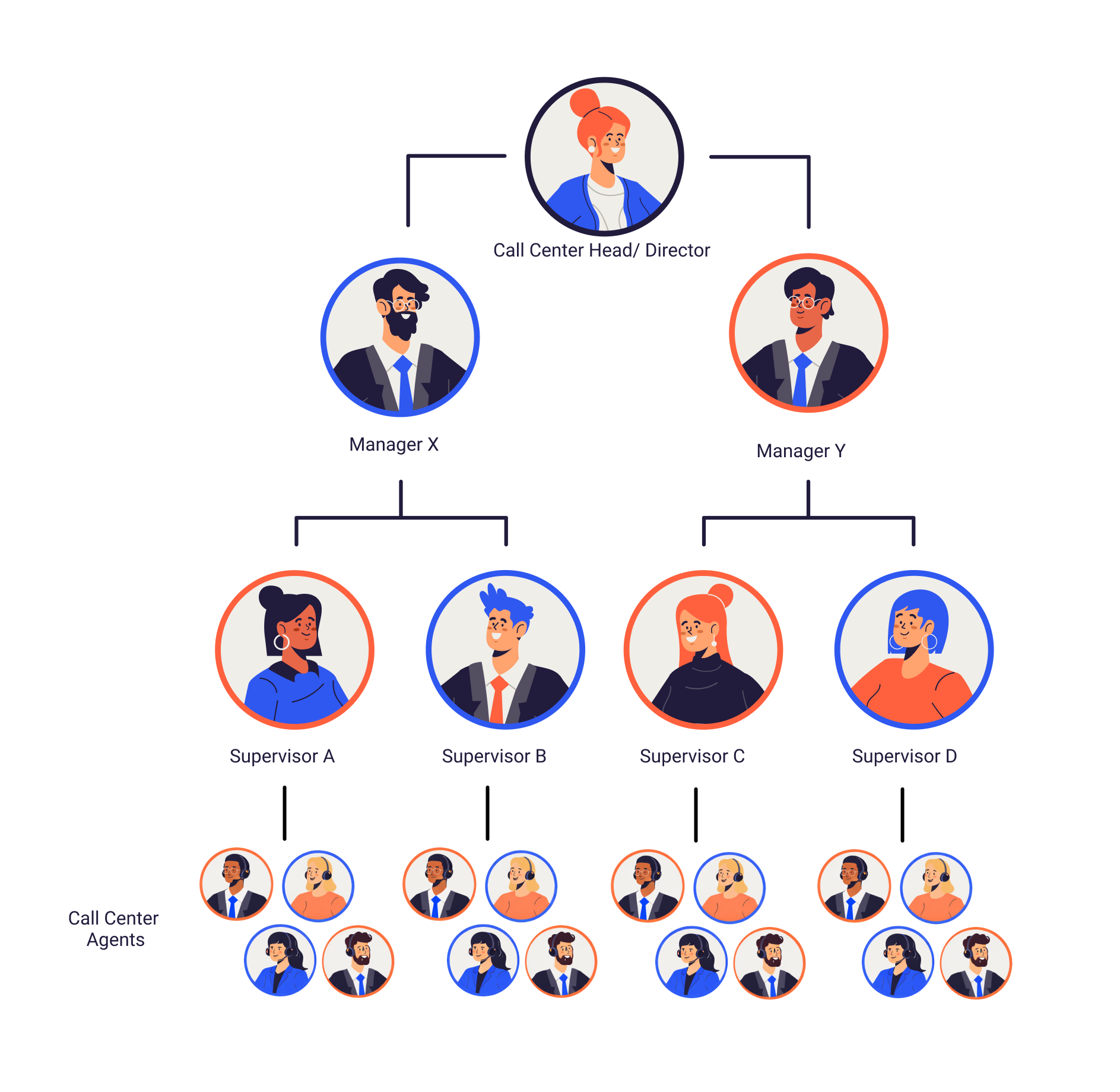
Most teams and managers in Call/Contact Centers have a hierarchal structure that supports daily operations.
Most teams and managers in Call/Contact Centers have a hierarchal structure that supports daily operations.
Why is this relevant for a digital product like Observe.ai?
This hierarchy was important to replicate on Observe so relevant insights could be seen at different levels.
👨🏻🦱 Call Center Head/ Director - Wants to see aggregated insights. "What is the overall Negative Customer Sentiment Score of my Call Center?"
This hierarchy was important to replicate on Observe so relevant insights could be seen at different levels.
👨🏻🦱 Call Center Head/ Director - Wants to see aggregated insights. "What is the overall Negative Customer Sentiment Score of my Call Center?"
👩🏽 Manager - Aggregated insights of teams. "Which of my teams have improved the most over time?"
👨🏼 Supervisor - Agent Level insights. "Which of my Agents have low Evaluation Scores, and how can I help them?"
👨🏼 Supervisor - Agent Level insights. "Which of my Agents have low Evaluation Scores, and how can I help them?"
Administrators set up teams and permissions in a way so that these insights are visible on the platform in the needed manner.
The Problem
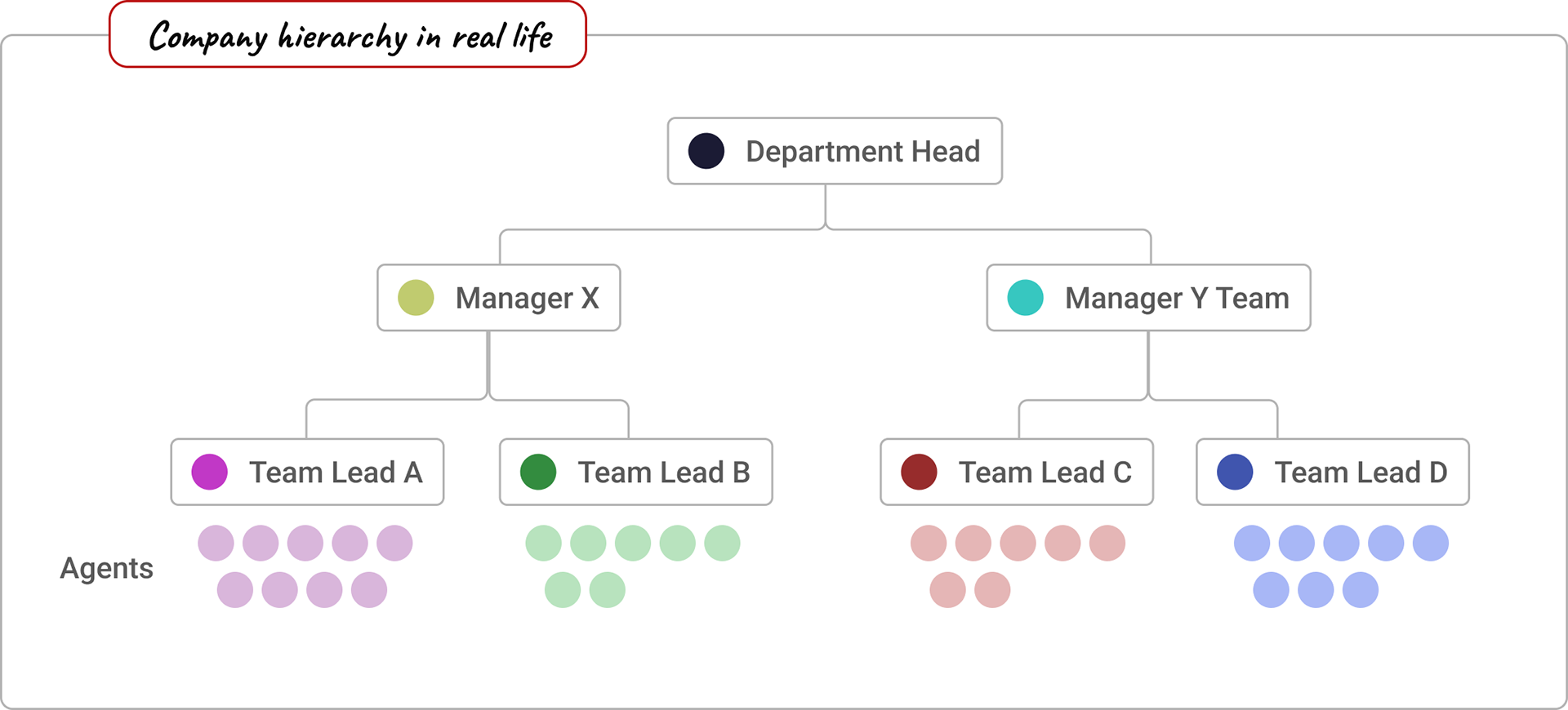
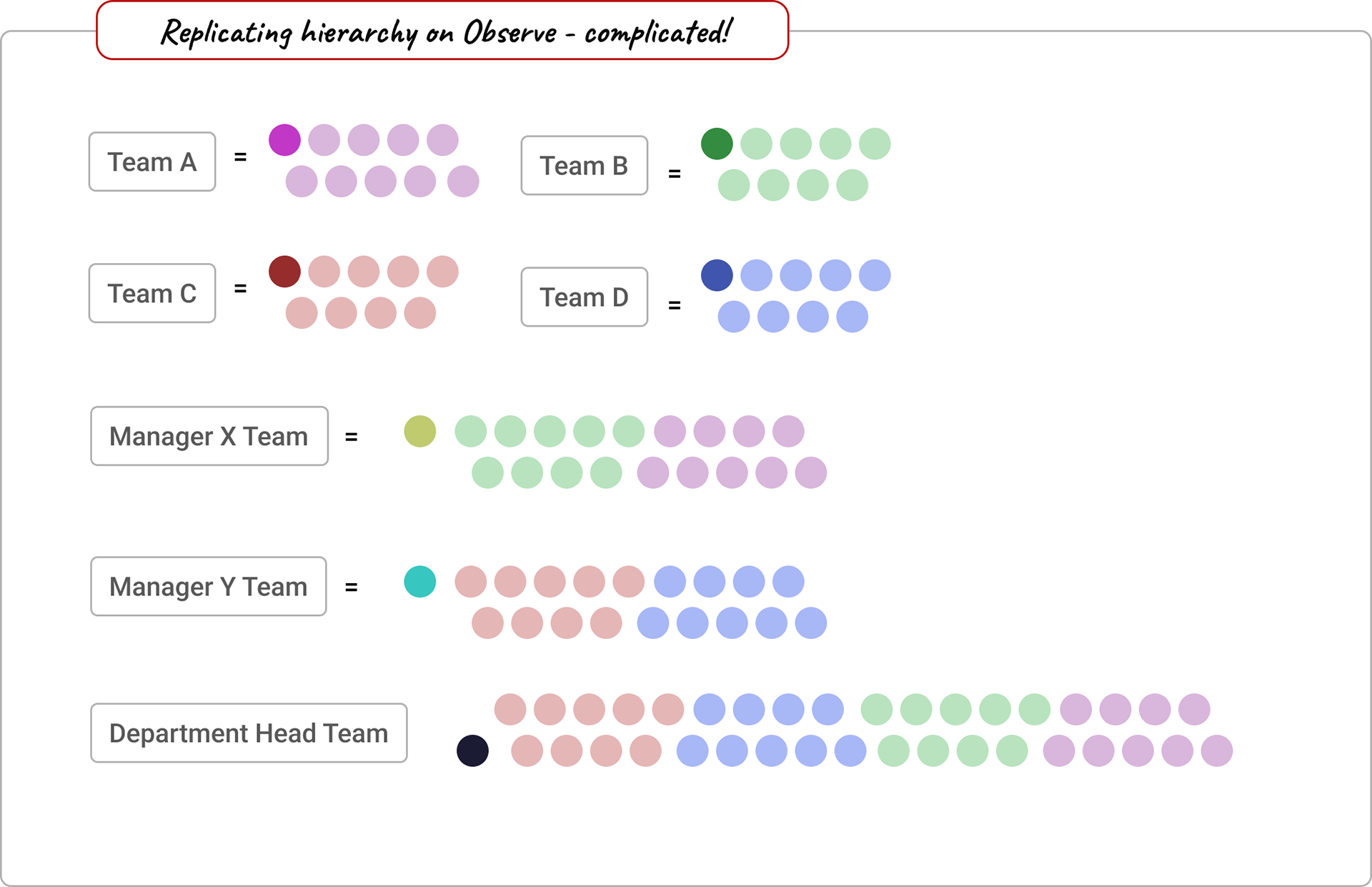
The Problem was that Observe.ai did not have the capability to create "hierarchies" via people or data permissions. Because of this, Admins of clients made a workaround - as shown in the diagram below.
⚠️ This required a lot of manual labour of the repetitive task of adding the same agents to 3 or more teams.
⚠️ Updating these teams if attrition happens, was a difficult and cognitively heavy task. This was quite often, every month or two. New Agents had to be added to multiple teams unnecessarily, the Admin had to trace mentally all the teams an Agents should be a part of.
The Problem was that Observe.ai did not have the capability to create "hierarchies" via people or data permissions. Because of this, Admins of clients made a workaround - as shown in the diagram below.
⚠️ This required a lot of manual labour of the repetitive task of adding the same agents to 3 or more teams.
⚠️ Updating these teams if attrition happens, was a difficult and cognitively heavy task. This was quite often, every month or two. New Agents had to be added to multiple teams unnecessarily, the Admin had to trace mentally all the teams an Agents should be a part of.
The Goal
Provide the ability to nest teams inside each other to build a hierarchical set up.
Make it easy for 300+ Clients to migrate to and adapt the new system.
Some Context
▪️ 10+ Clients interviewed over multiple recurring calls to learn about this problem and it's specific use cases
▪️ 10+ Clients interviewed over multiple recurring calls to learn about this problem and it's specific use cases
▪️ Feedback on Prototype from 5 Clients after designing the prototype made with their data.
▪️ Observe.ai has 300+ enterprise customers in North America and Europe including DoorDash, Accolade, Asurion, Concentrix, Signify Health, Maxor and Pearson.
▪️ Observe.ai has 300+ enterprise customers in North America and Europe including DoorDash, Accolade, Asurion, Concentrix, Signify Health, Maxor and Pearson.

The Design Decisions
• Viewing Insights at different Levels
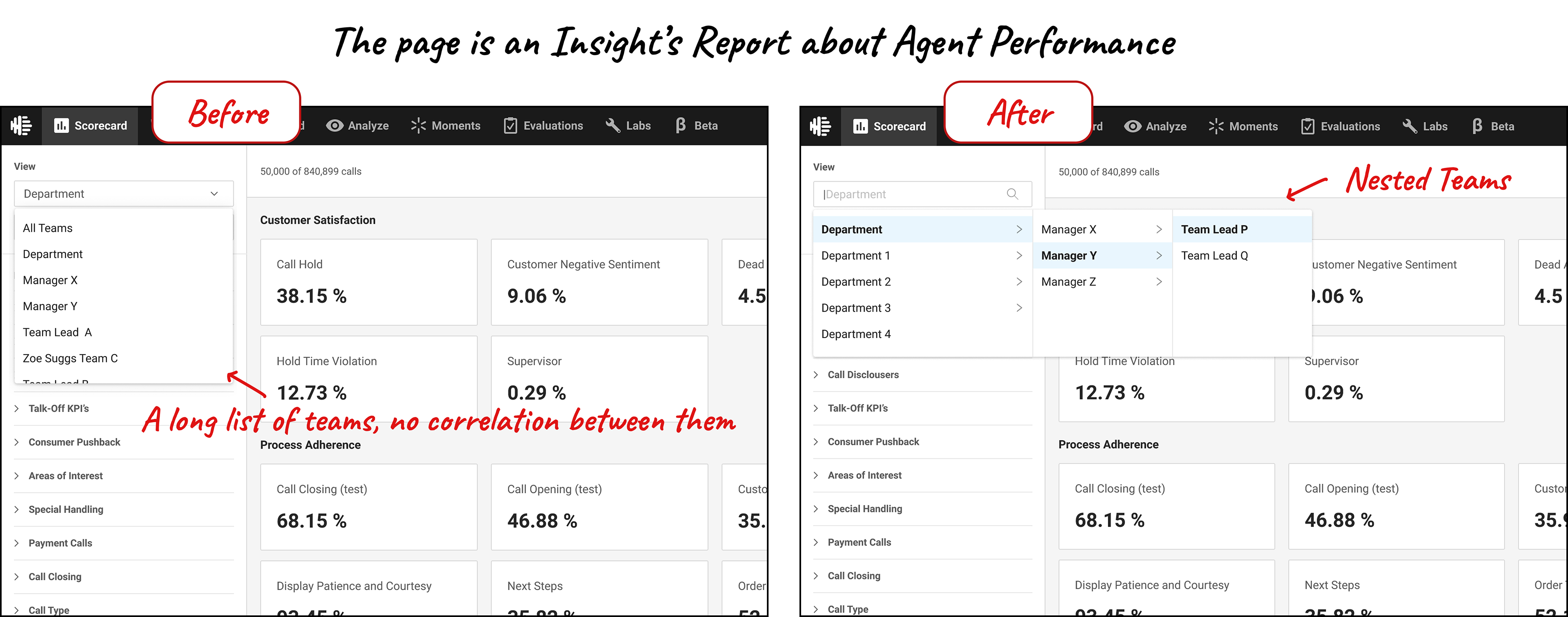
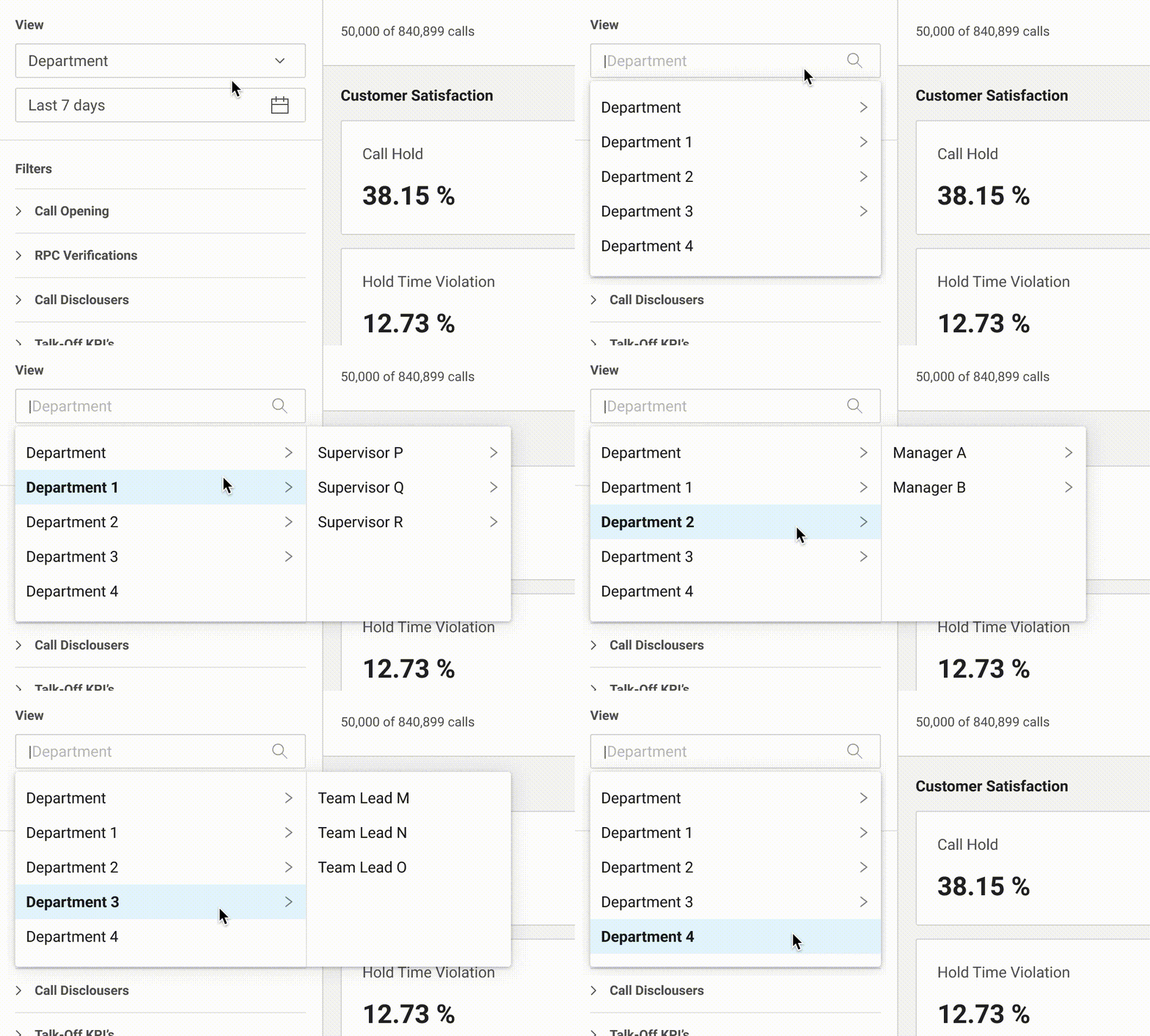
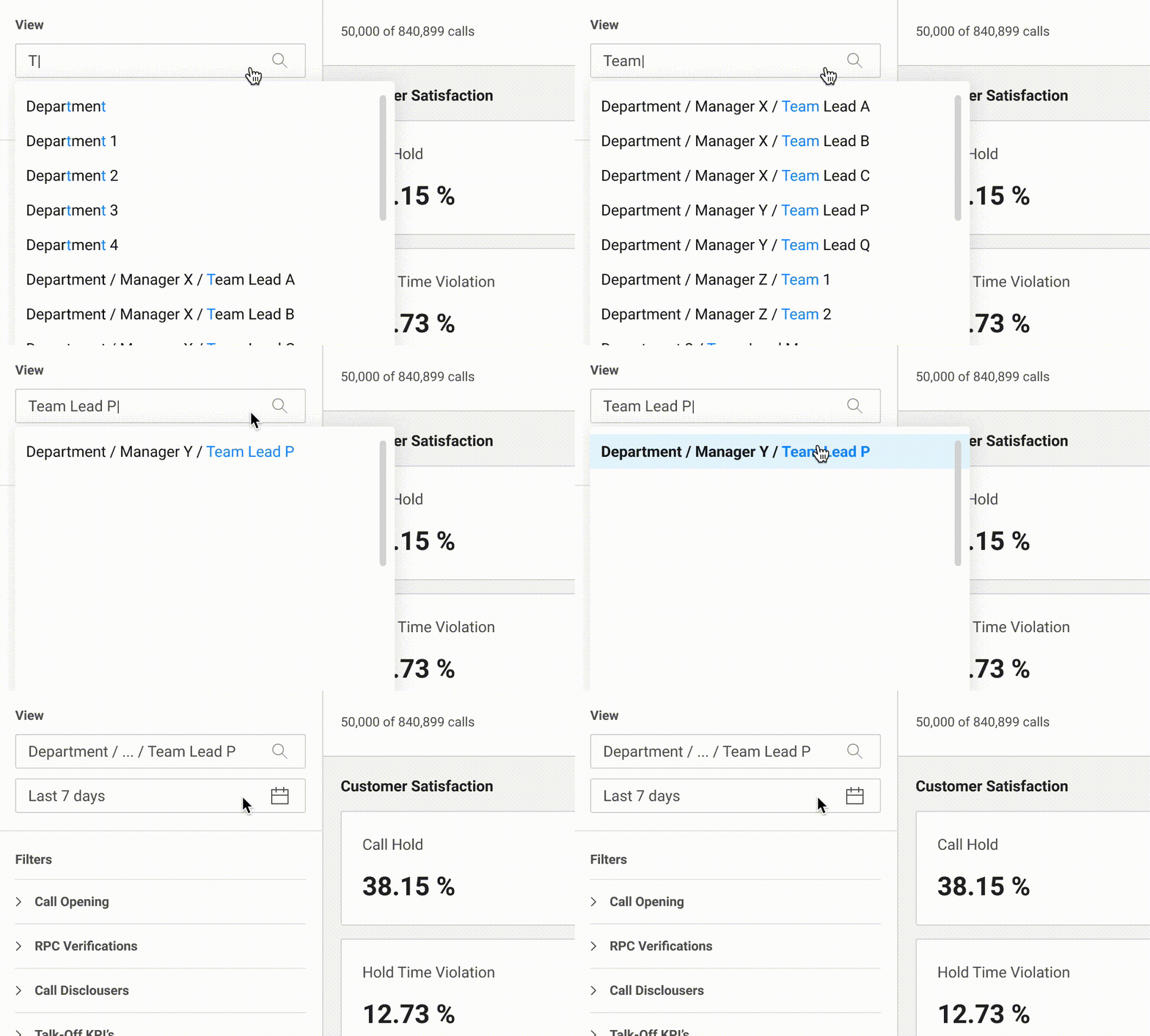
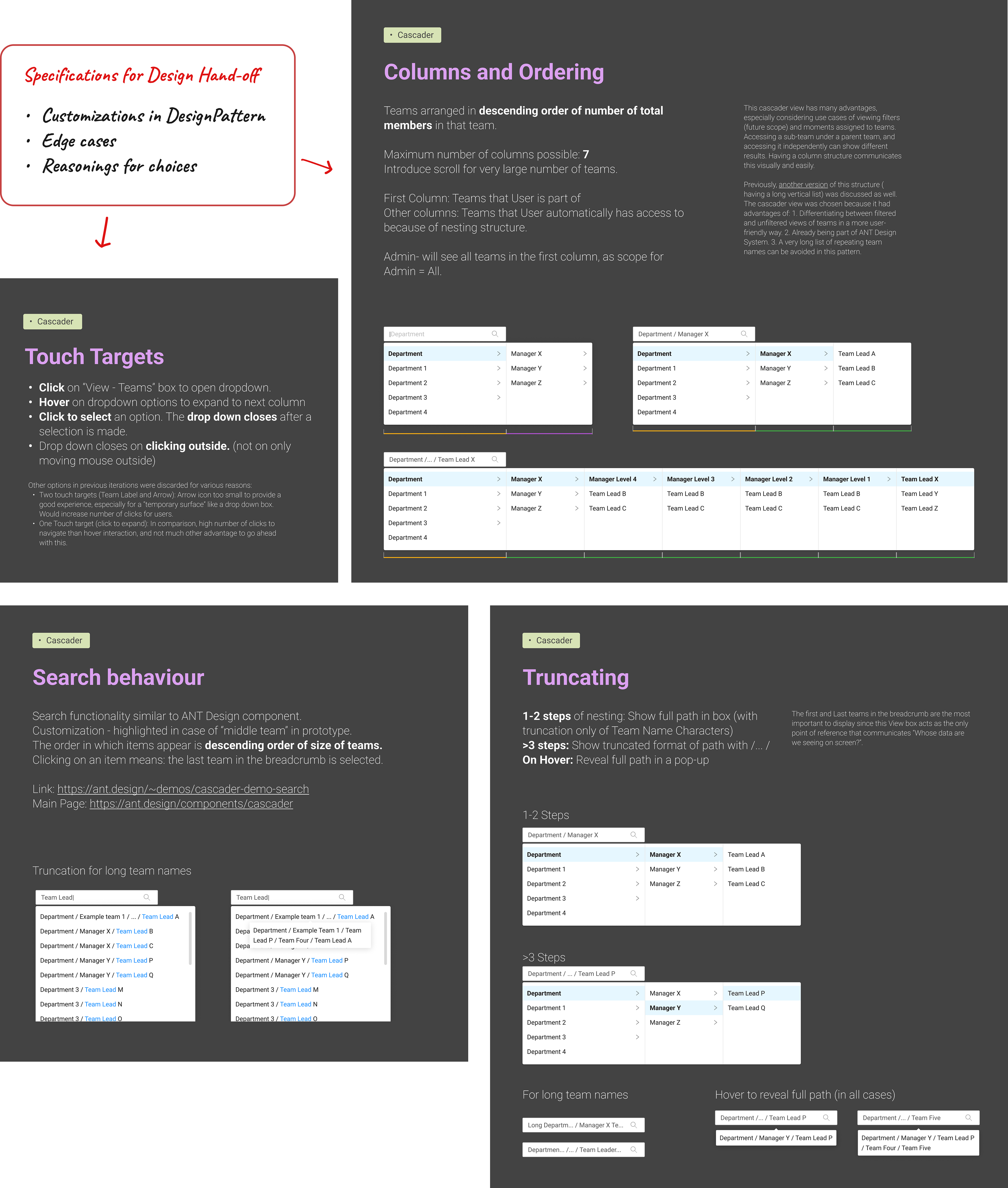
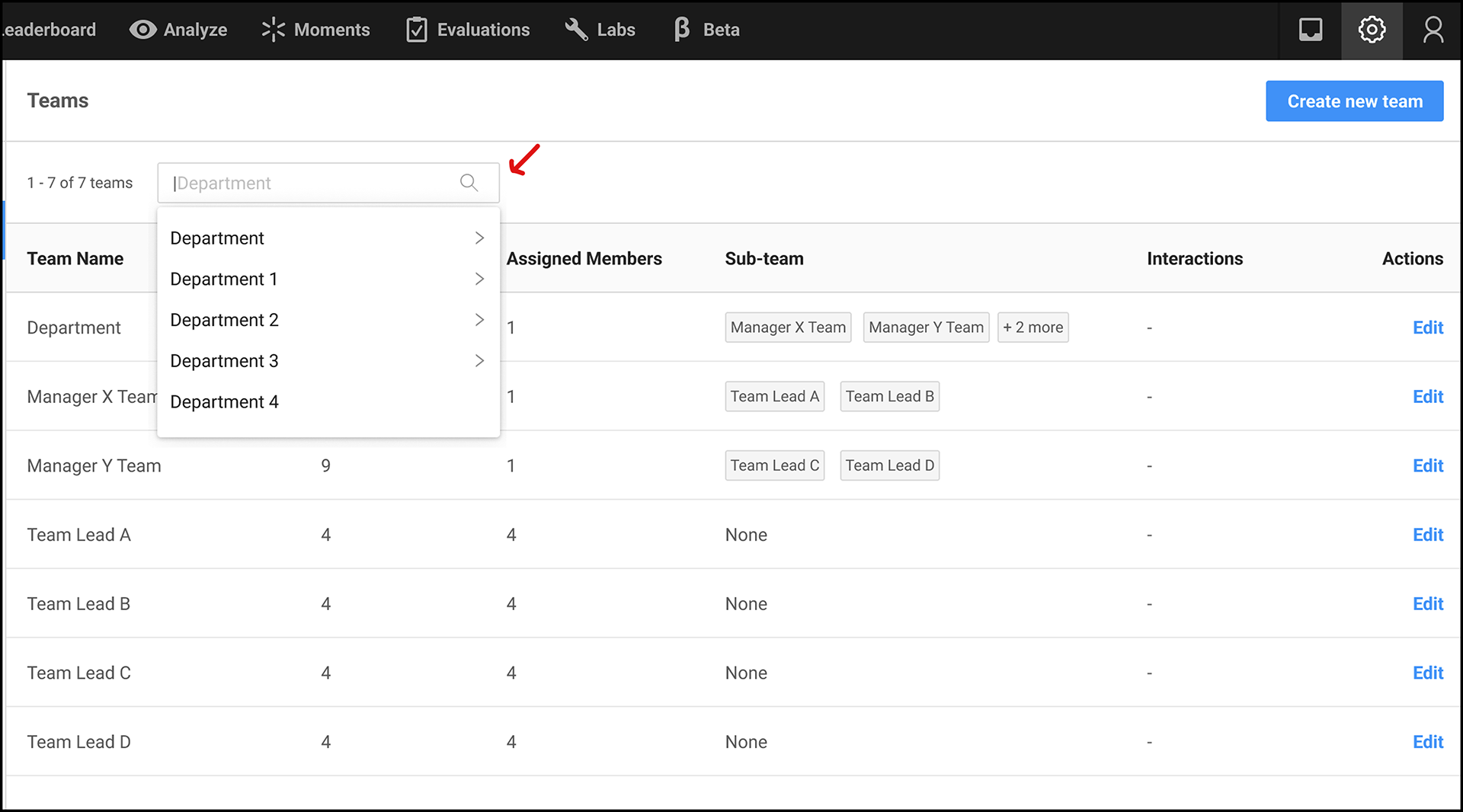
The end point: Viewing insights at different levels. Ant Design's Component was customised to fit our needs. Hover, Search, Click Points were intentionally updated for easiest use.
The end point: Viewing insights at different levels. Ant Design's Component was customised to fit our needs. Hover, Search, Click Points were intentionally updated for easiest use.
• The Administrative End: The original table
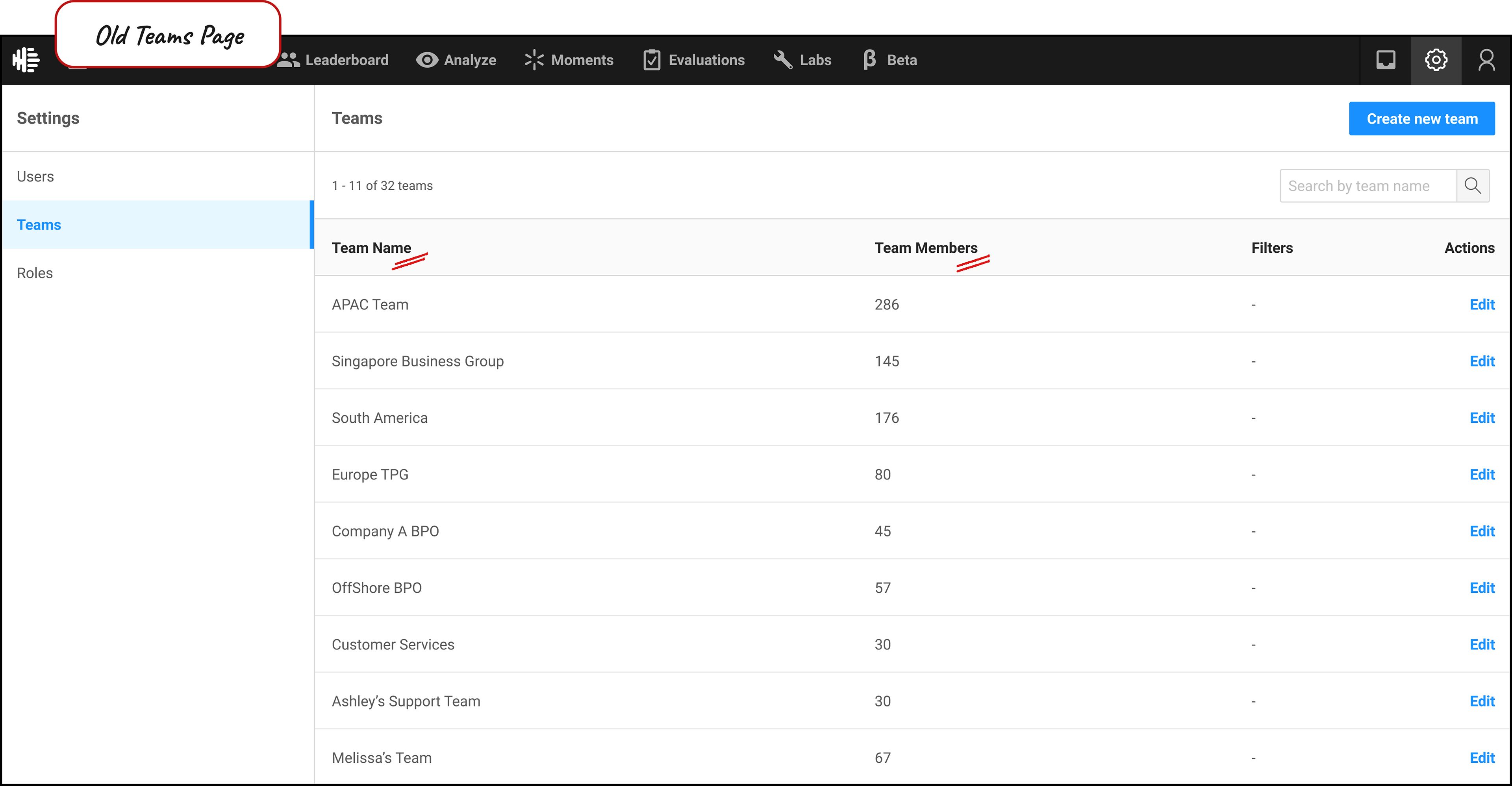
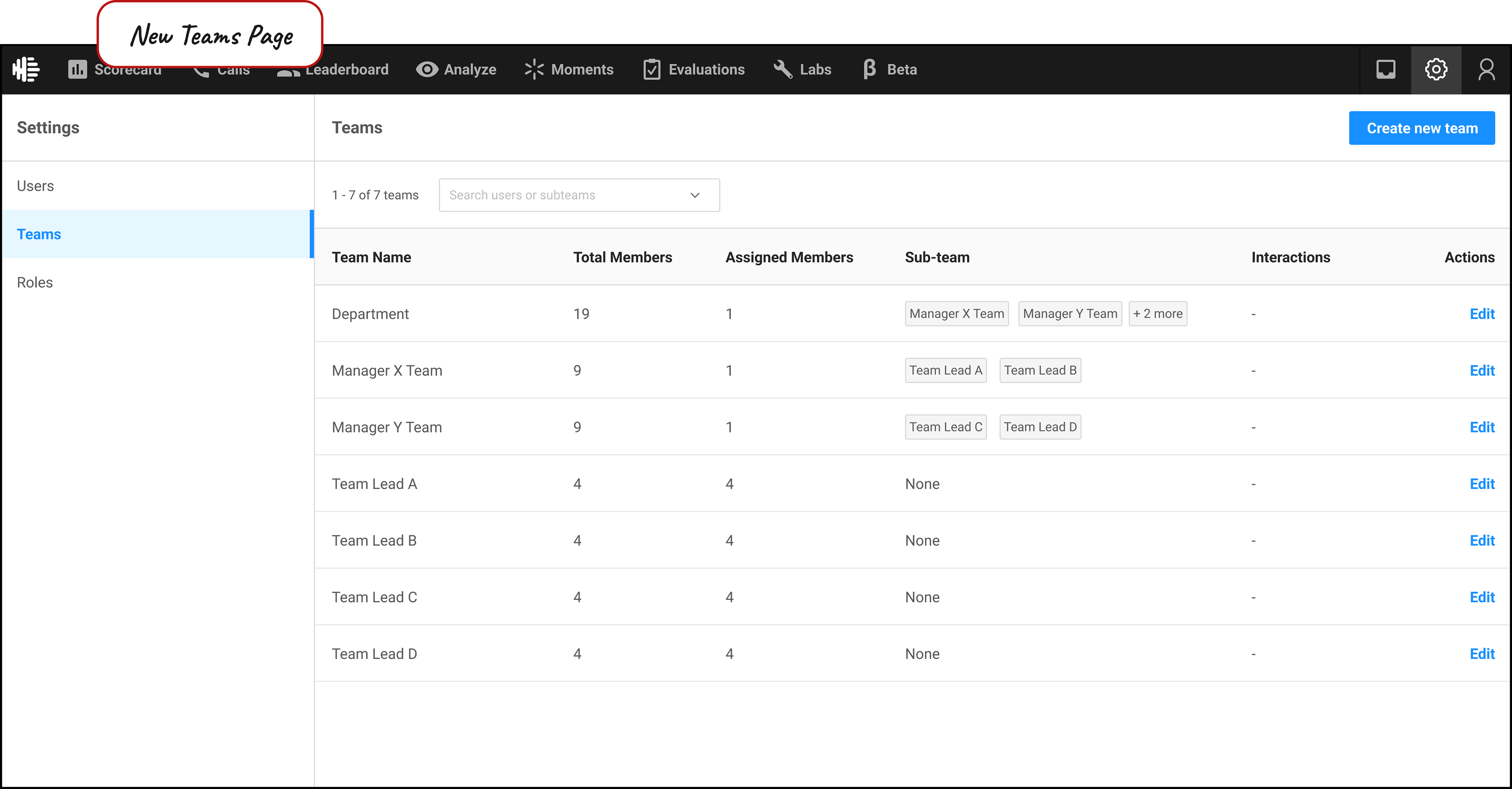
Design iterations of: How do we show information about nested teams in a table format?
The purpose of this landing page is an overview of all the teams in the client's account.
The action of "nesting" happens after "Edit" button is clicked.
Table Option 1
✅ Shows breakup of all types of members in a team
⚠️ Format is not clear without labels, confusing to understand
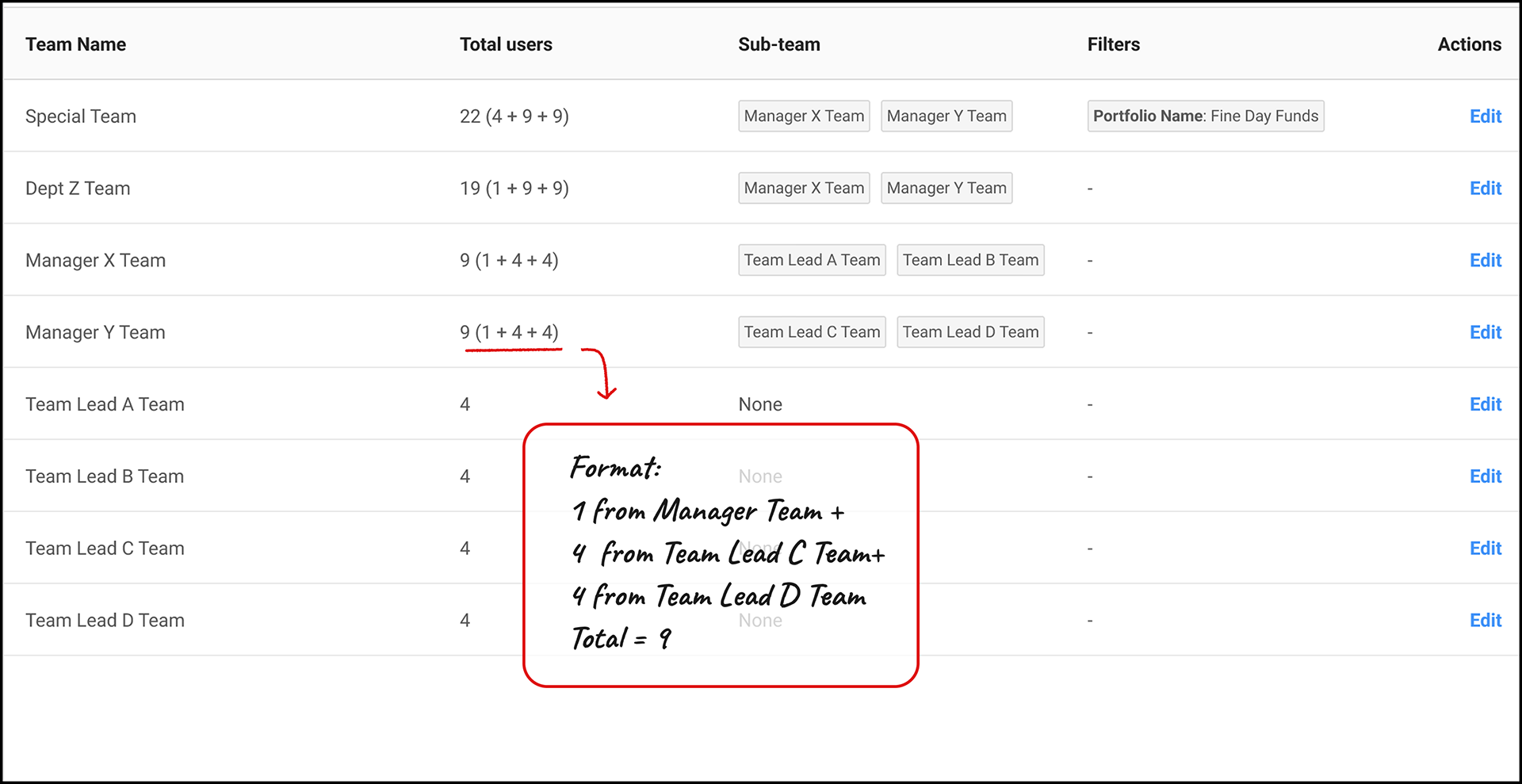
Table Option 2
✅ Clear understanding of numbers
⚠️ Number of people specifically Assigned to a level (team) is more important (as opposed to inherited members)
⚠️ Repeated information in brackets in the grey pill boxes.
⚠️ Repeated information in brackets in the grey pill boxes.
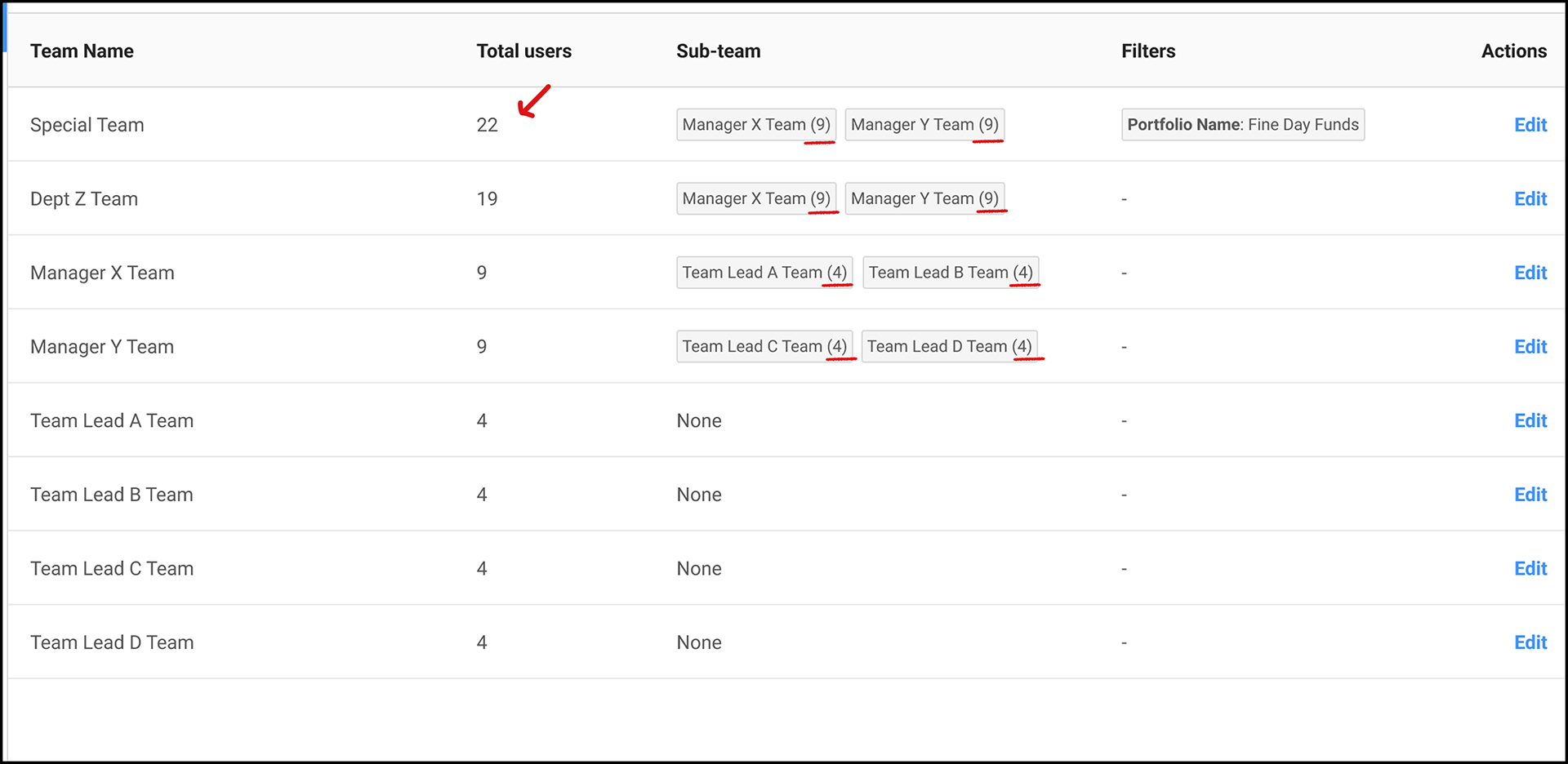
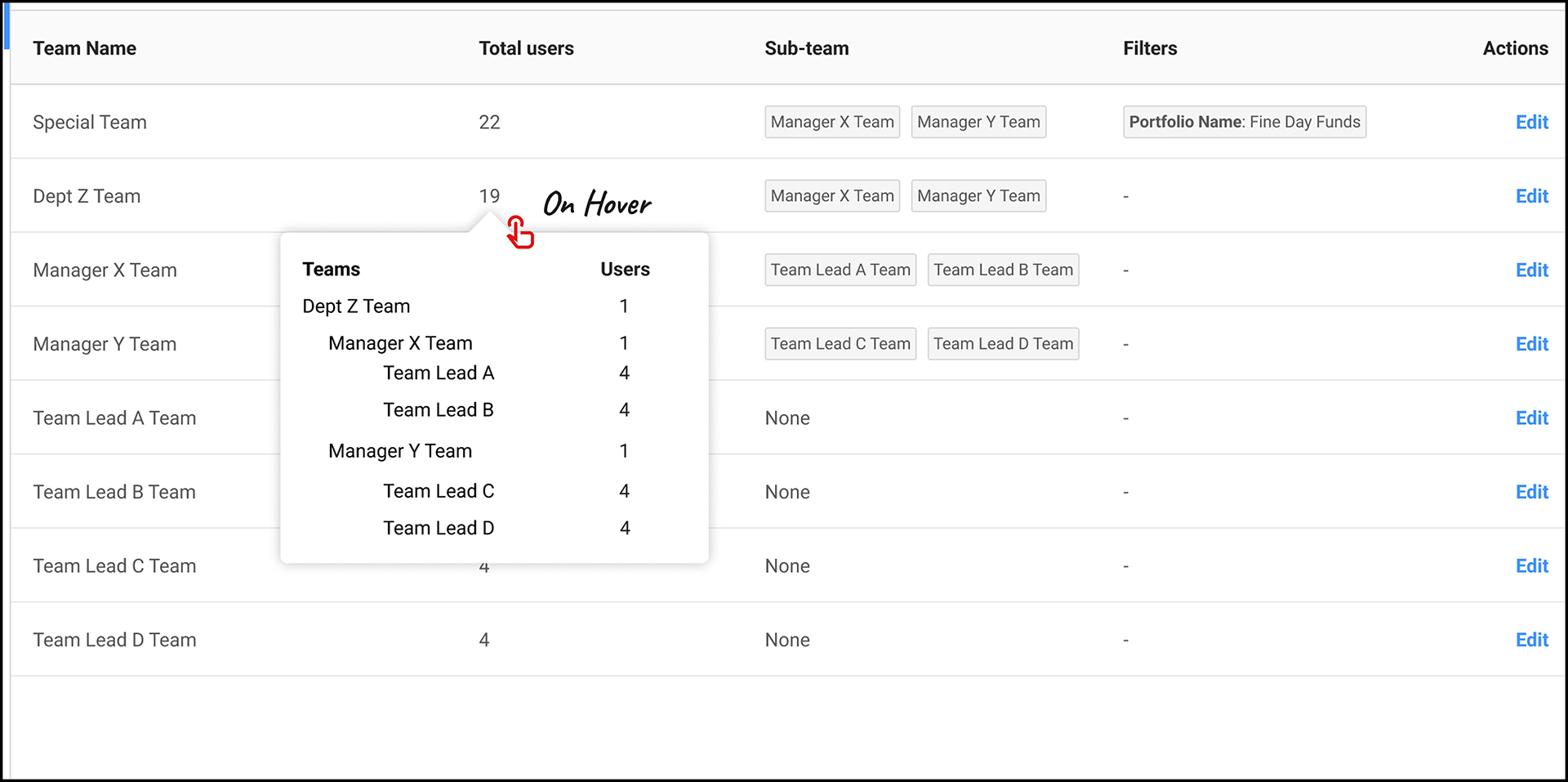
Table Option 3
✅ Can see the hierarchy clearly
⚠️ Repetitive information present already mentioned in table, that can be confusing. Table upon a table.
⚠️ Repetitive information present already mentioned in table, that can be confusing. Table upon a table.
• How do we 'show' the hierarchy?
We considered many ways of doing this. Need to balance new features, and think about the 100s of admins that need to shift to a new way of this fundamental change.
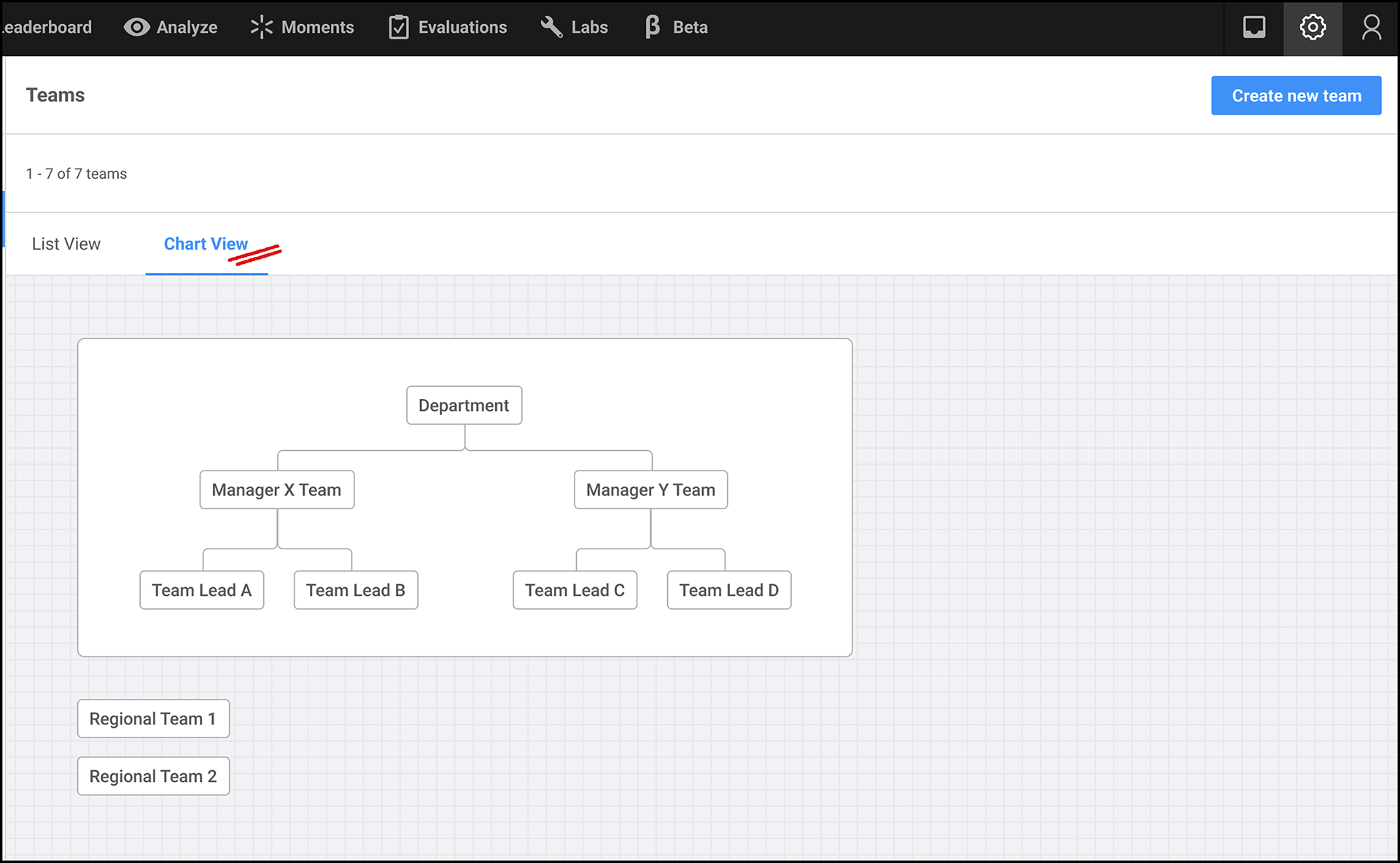
Option 1
✅ Most intuitive and clear way of showing hierarchy - in a diagram. Teams that are not 'attached' also clearly visible.
⚠️ Completely new UI of a chart being introduced into the product. This was considered an advanced design for the ongoing phase of this project.
Option 2
✅ Simpler way to show hierarchy - editing the original table subtly to achieve an hierarchical graphic.
⚠️ This page felt repetitive , given that clicking on "Edit" opened another page with the same table format (with ability to add/remove users and teams). No need to have 3 types of pages with tables for the same workflow.
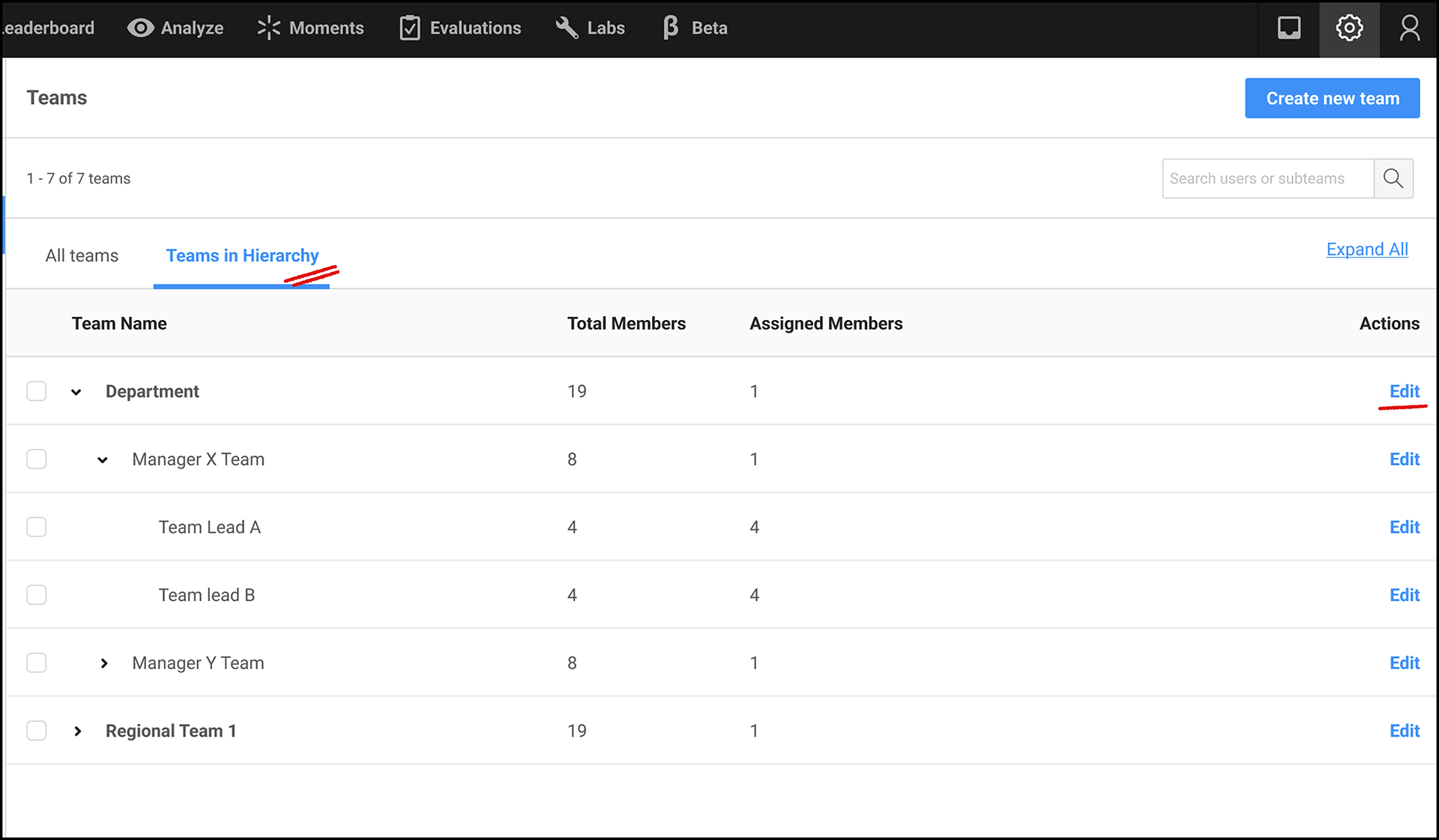
Option 3
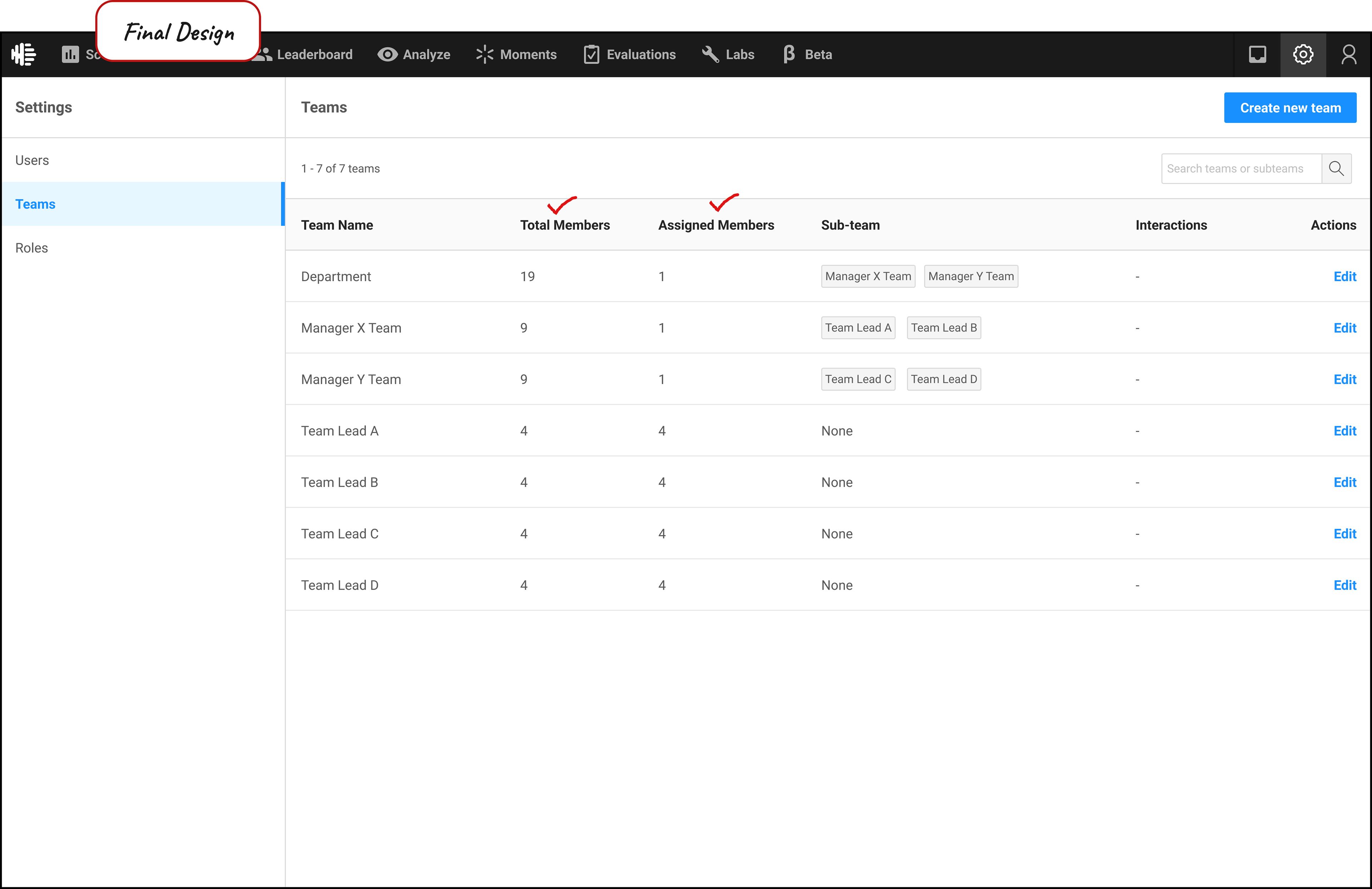
✅ This was "Approach 0" - simply adding the drop down from the insights pages here as well, to provide an easy way to visualise nested teams.
✅ Consistent design in a new update, & the least amount of changes made for the desired effect.
✅ Selected as Final Design
Experience, Learnings and many thanks
Through this project, I learned the high impact small interaction details can have on User Experience. This was one of the early projects I worked in at Observe, and talking to the clients and Admins first hand put a real person behind the personas we designed for every day.
During this process, we received few suggestions from the clients as well, like a drag & drop feature, integration with other products they used, etc. But in the end, we were able to provide a simple solution that solved their problems. I would like to also thank the PM for this project Ritesh Sharma, working with whom as always been a great experience.